Imagebon H9Pro 10.26″ Dash Cam ADAS Wireless CarPlay & Android Auto 4K DVR GPS Navigation Dashboard Video Recorder 24H Park
Price range: $187.09 through $257.47
Description
- High-concerned chemical: None
- Working Temperature: -20℃ to 70℃
- Cable Length: 1.5M
- Weight: 1.1KG
- Dimensions (W x H x D): 24.5*0.6*9.5cm
- Input/Output: AUX
- Power Source: Corded Electric
- APP Compatibility: compatible
- Built-in Screen: Yes
- Loop-Cycle Recording Feature: Yes
- Audio Recorded: Yes
- Maximum Video Frame Rate: 30
- NightShot Function: Yes
- Rear Camera: Yes
- Original Package: Yes
- Touch Screen: Yes
- Memory Card Required Reding Speed: Class 10
- View angle: 105°-140°
- Camera Resolution: 3840×2160
- Video Code: H.265
- Is Batteries Included: No
- Special Features: sd/mmc card,With Rearview Mirror,Anti Surge Voltage Impact,Waterproof,Anti Fog,Anti Vibration,wifi function,Bluetooth,Parking Monitor,adas,External GPS
- Max External Memory: 128G
- Number Of Lenses: 2
- Pixels: 800Mega
- Display Size: 10.26"
- OSD Language: Arabic,Chinese (Simplified),English,French,German,Hebrew,Japanese,Korean,Polish,Portuguese,RUSSIA,Russian,Spanish,Vietnamese
- GPS logger: External
- Battery: None
- Assembly Mode: Rearview Mirror
- Chipset Manufacturer: Rackchip
- Frames Per Second: 30
- Brand Name: Imagebon
- Origin: Mainland China
- Display: IPS
- Accessory Type: Car charger
- Item Type: Car DVR
- Battery Type: Lithium Ultracapacitors
- Interface: AV-In,USB 2.0,Micro SD/TF
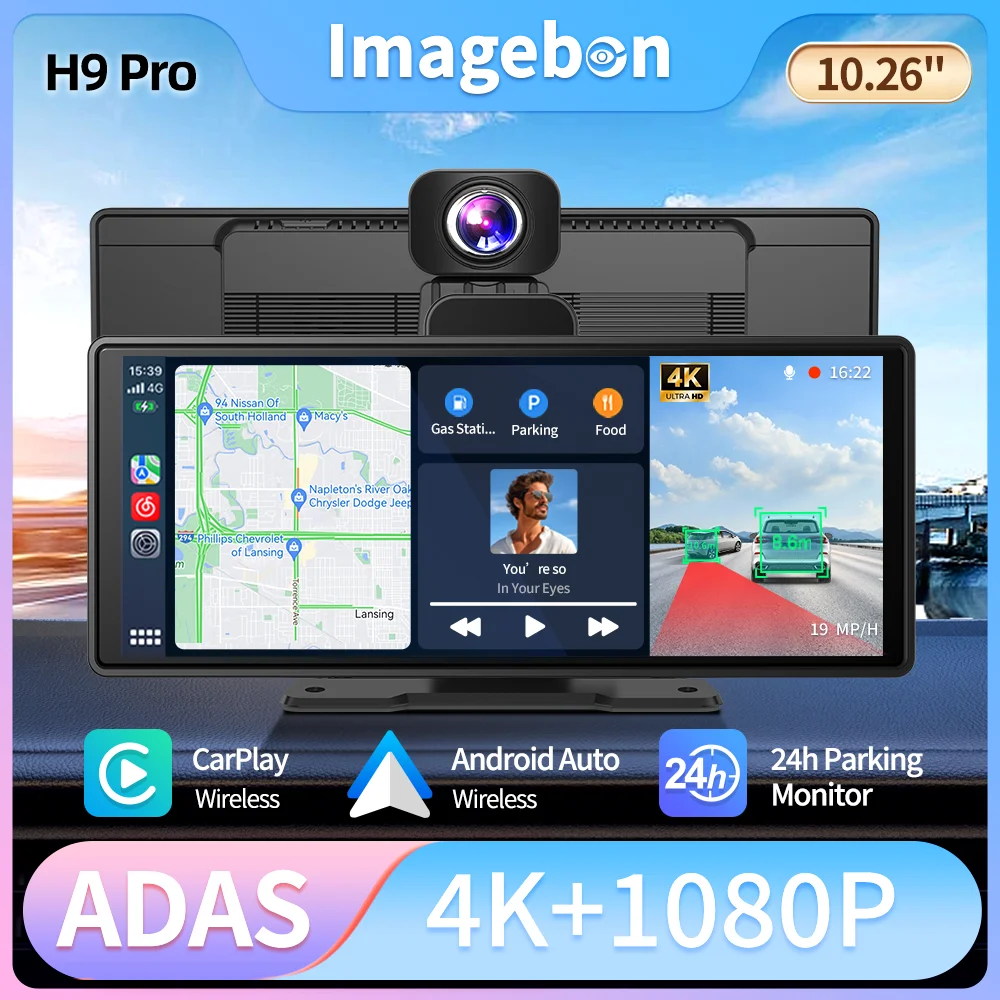
H9 Pro Smart Streaming Rearview Mirror Dashcam – 4K Ultra HD, ADAS Driving Assistance, CarPlay/Android Auto
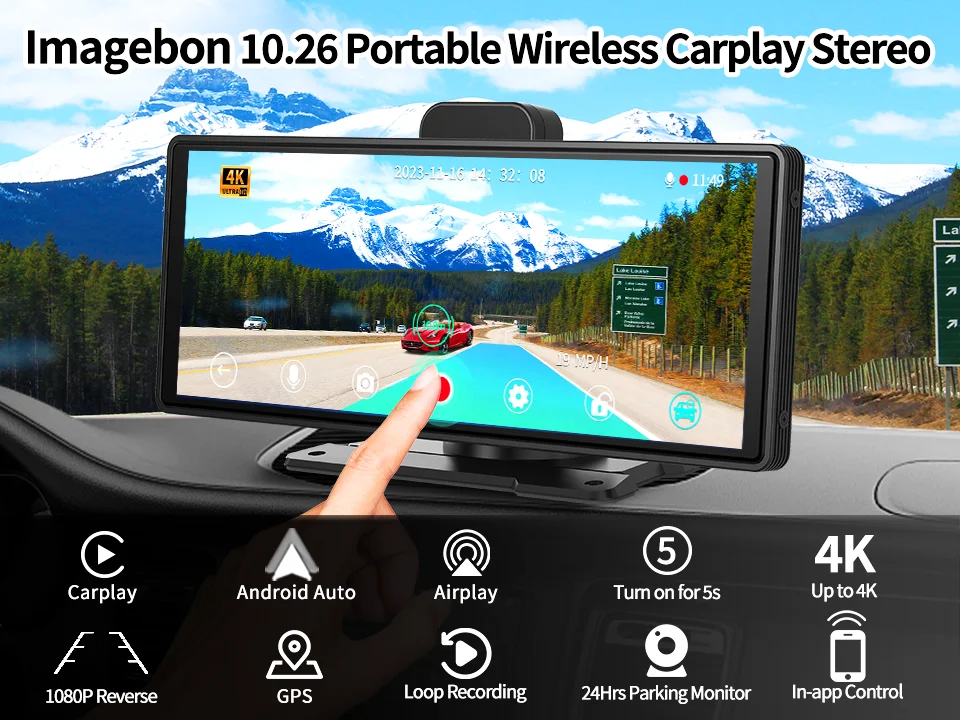
🚗 4K Ultra HD Recording – Capture every detail on the road with crystal clarity.
🛡️ Advanced ADAS Safety – FCW, LDW, and FVSA alerts to prevent accidents.
📱 Dual Wireless Connection – Effortless CarPlay & Android Auto for smart driving.
🅿️ 24H Parking Monitoring – Time-lapse & collision detection for all-day security.
🔧 Universal Compatibility – Fits 99% of 12-24V cars and motorcycles.
⚡ Fast 5s Boot – Powered by 4-core smart chip for instant startup.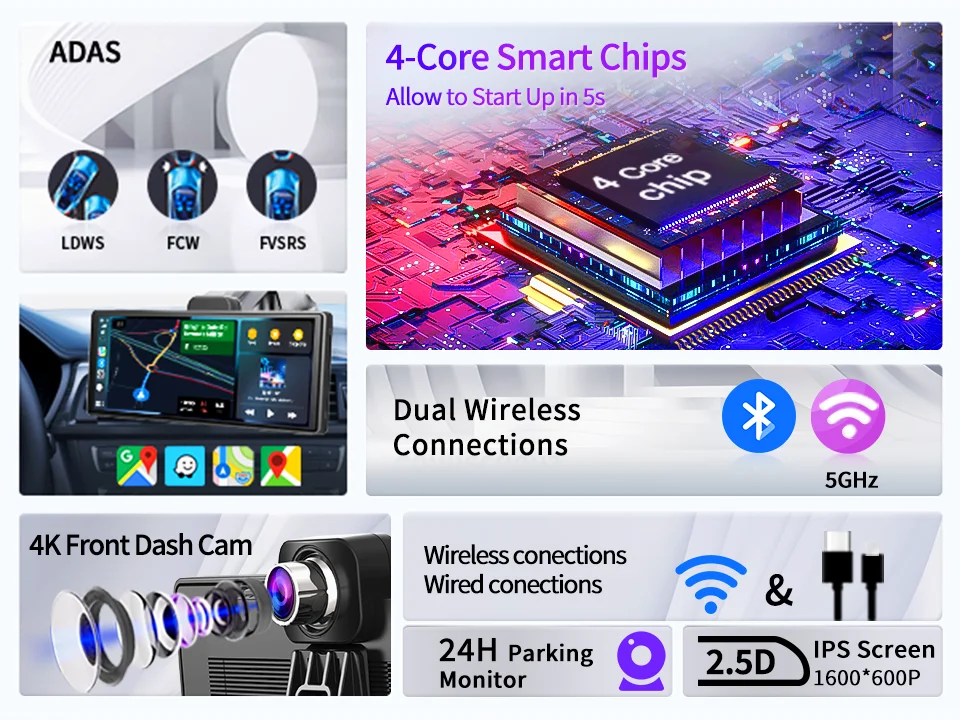
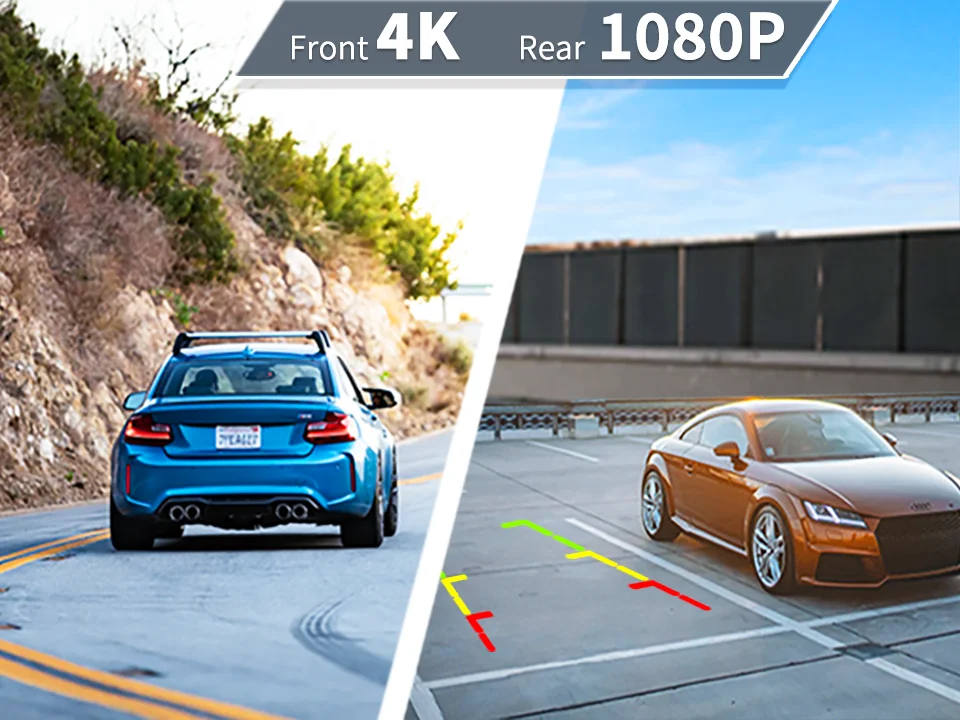
🚗 【4K/2K(defalut)+1080( Ultra Recording】
1) Dual recording (front and rear) delivers exceptionally clear image quality, easily identifying license plates and road details.
2) Front Camera: Supports up to 4K or 2K(defalut) ltra-high-definition resolution, with image quality far exceeding ordinary 1080P dashcams, clearly recording driving conditions day and night.
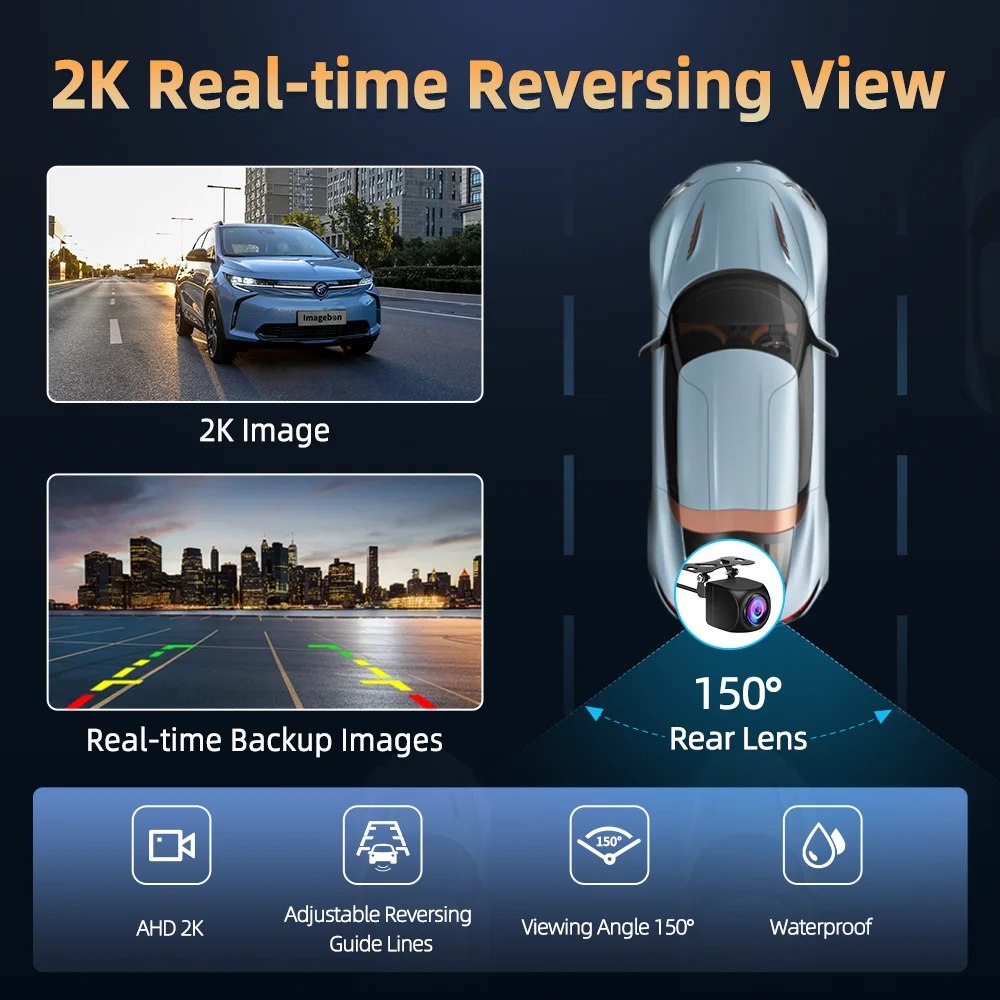
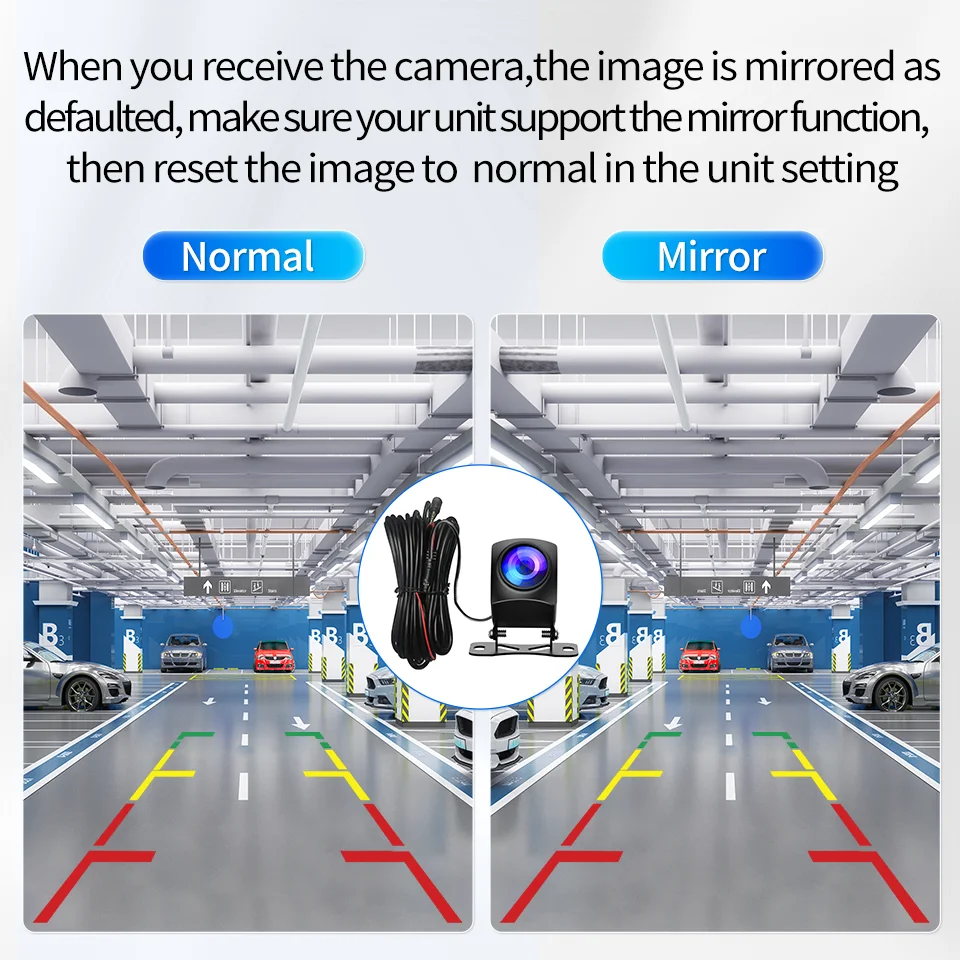
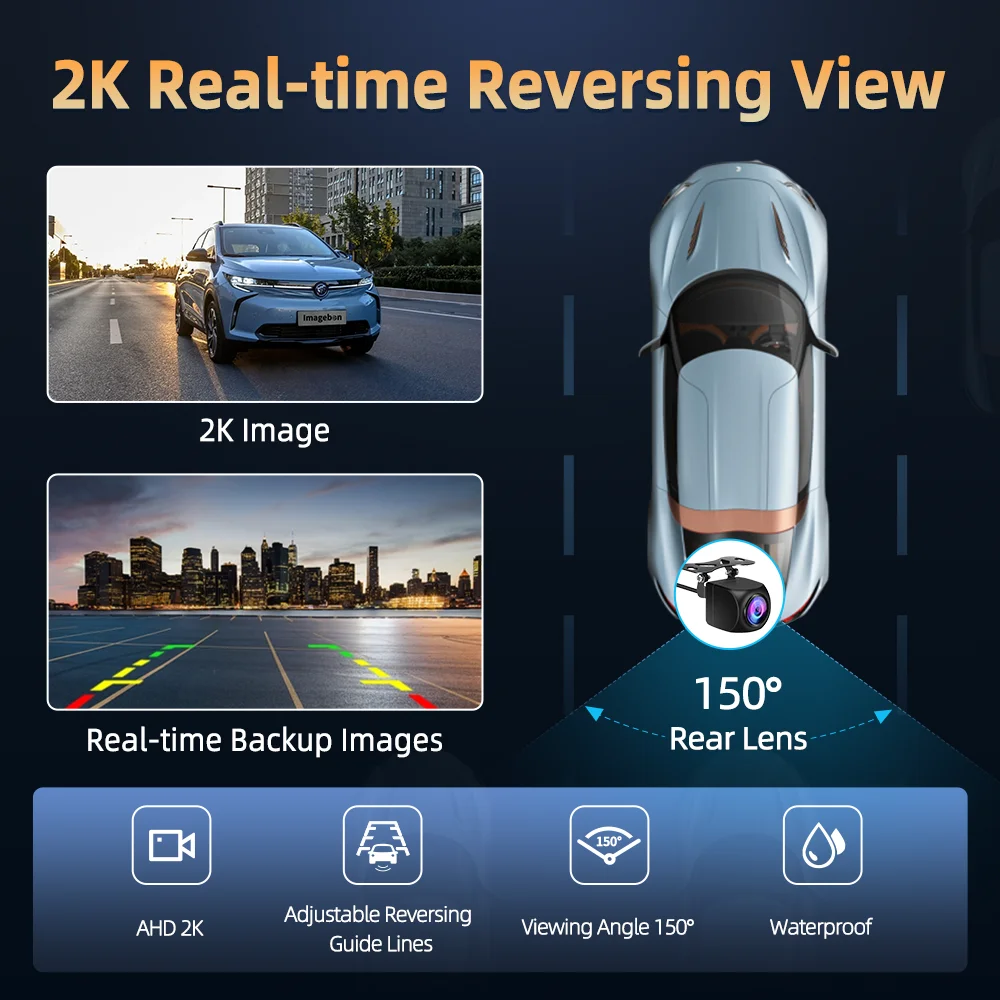
3) Rear Camera: Provides a wide streaming rear view, eliminating blind spots behind the vehicle, especially in inclement weather or at night, offering a field of view far exceeding the original rearview mirror.
🛡️ 【ADAS Advanced Driver Assistance Systems】
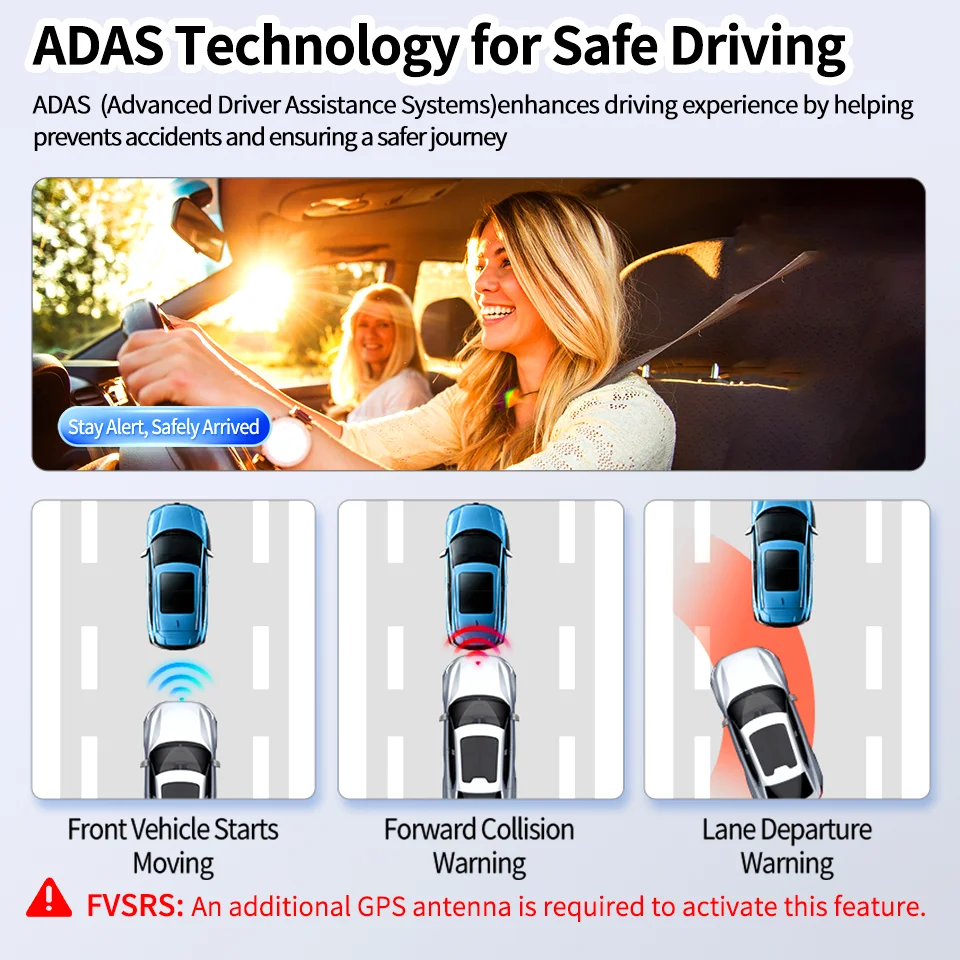
Forward Collision Warning (FCW), Lane Departure Warning (LDW), and Forward Vehicle Start Alert (FVSA) help you avoid risks and improve driving safety.
1) Forward Collision Warning (FCW): Monitors the distance to the vehicle in front in real time, predicts the risk of collision, and issues an audible warning promptly.
2) Lane Departure Warning (LDW): Warns you when you unintentionally deviate from your lane; suitable for long-distance highway driving.
3) Forward Vehicle Start Alert (FVSA): If the vehicle in front starts moving while you are waiting at a red light and you have not moved, the system will remind you.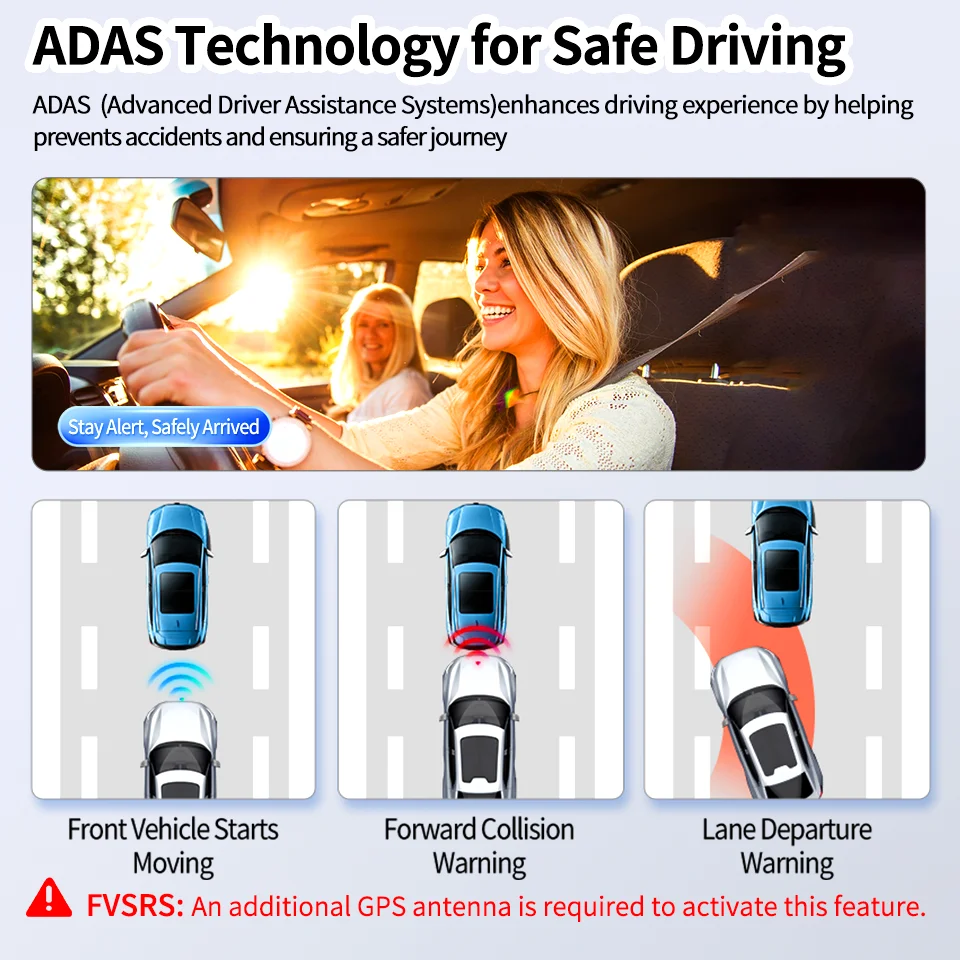
📱 【Wireless CarPlay & Android Auto】
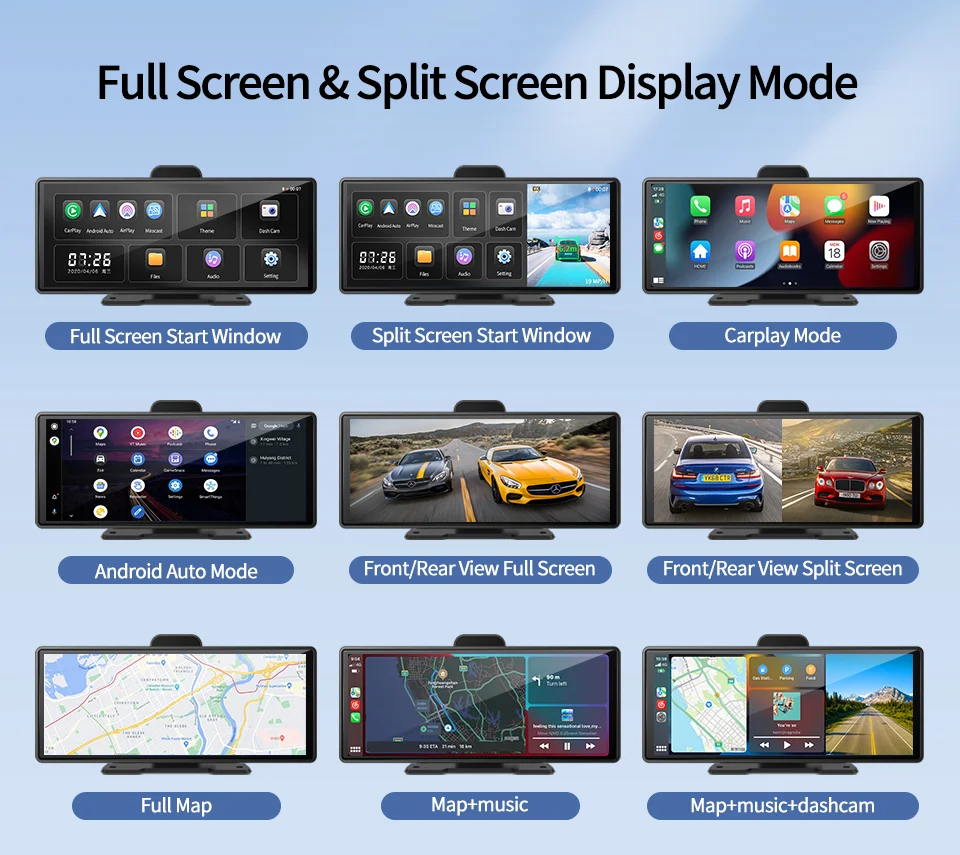
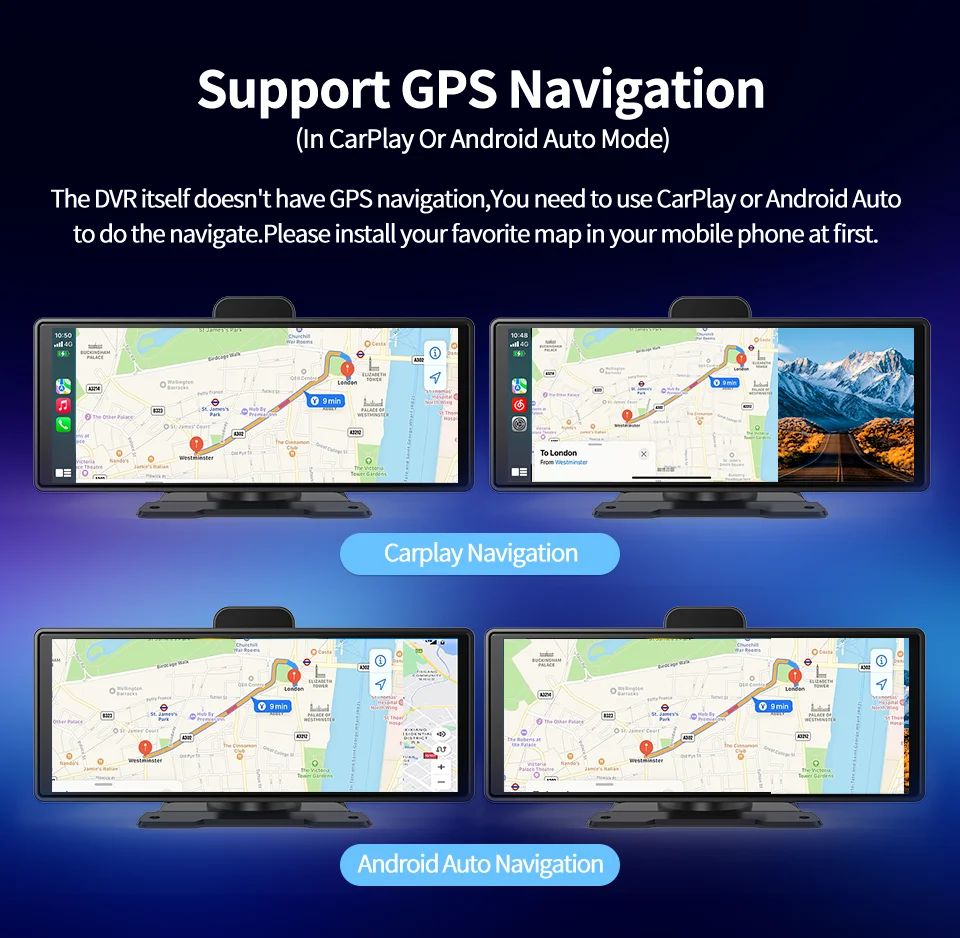
No cables required, connect your phone with one click and perfectly project navigation (such as Google Maps, Waze), music (such as Spotify), calls, messages and other apps from your phone onto the dashcam screen, allowing you to focus on driving and say goodbye to your phone holder.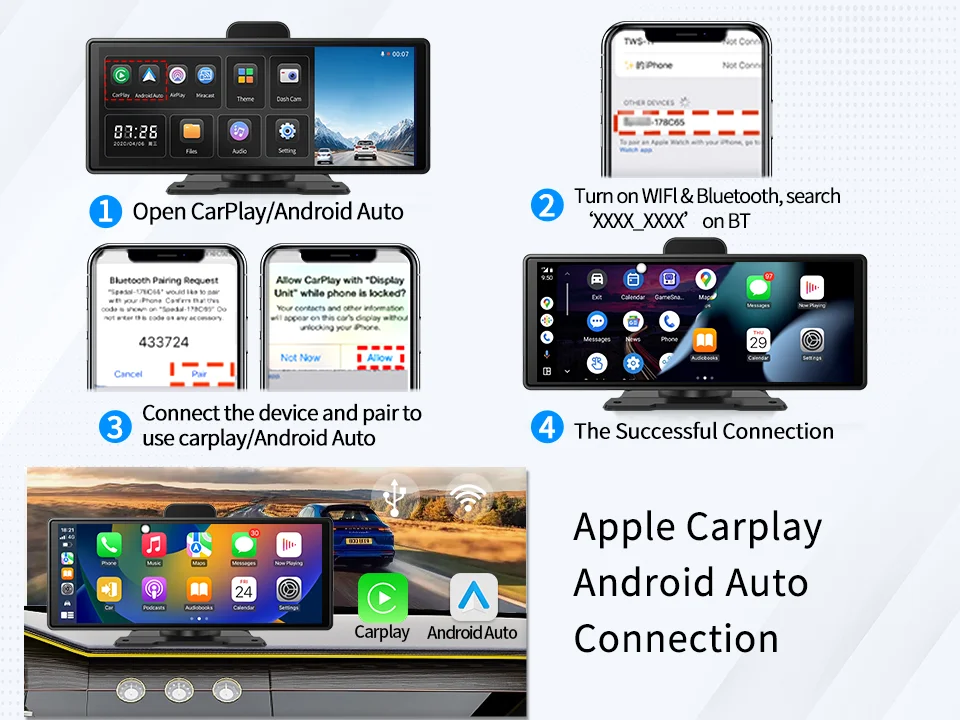
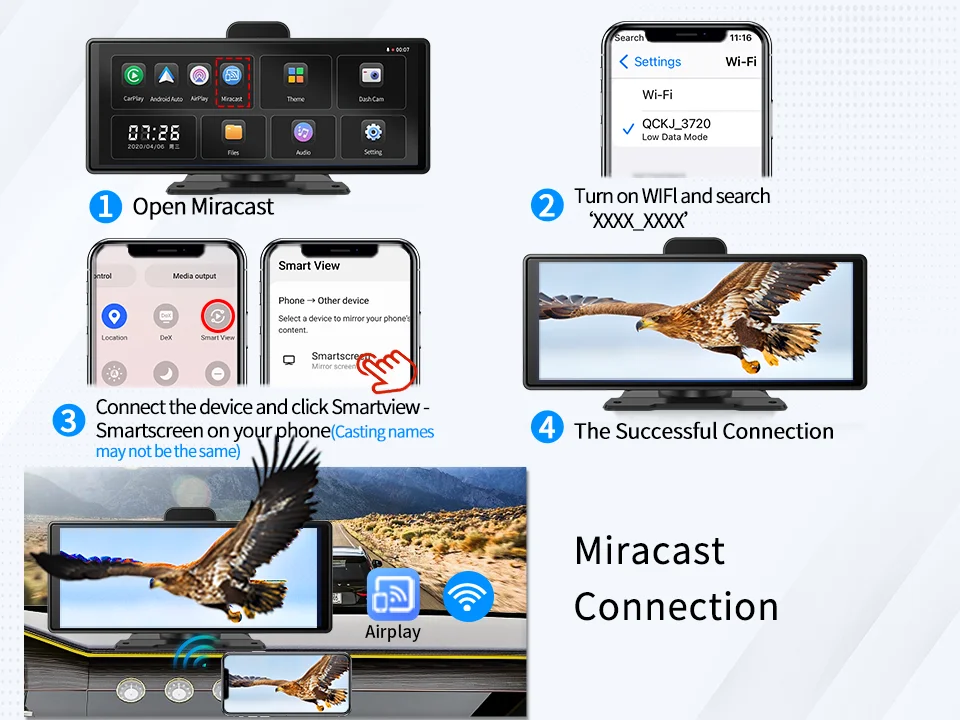
📱 Wireless Screen Mirroring (AirPlay/Miracast)
Even if your phone doesn't support Auto, you can use the screen mirroring function to project your phone screen onto the dashcam.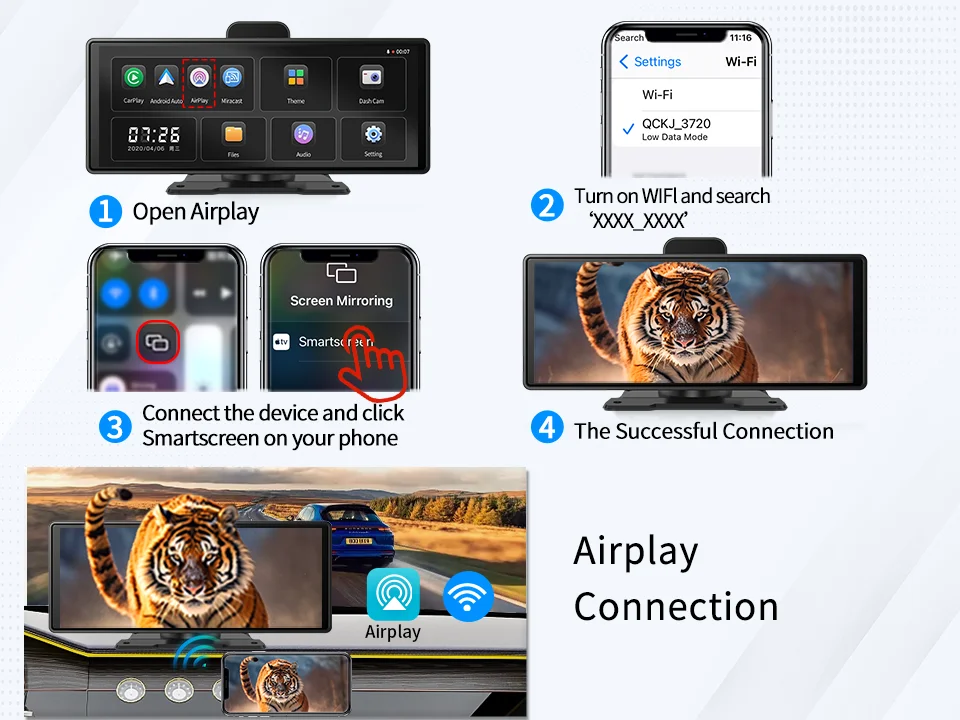
🔊 【Quadruple Audio Output】
Supports FM transmitter, AUX output, Bluetooth playback and built-in speaker, easily connect to the original car audio system and enjoy high-quality music while driving.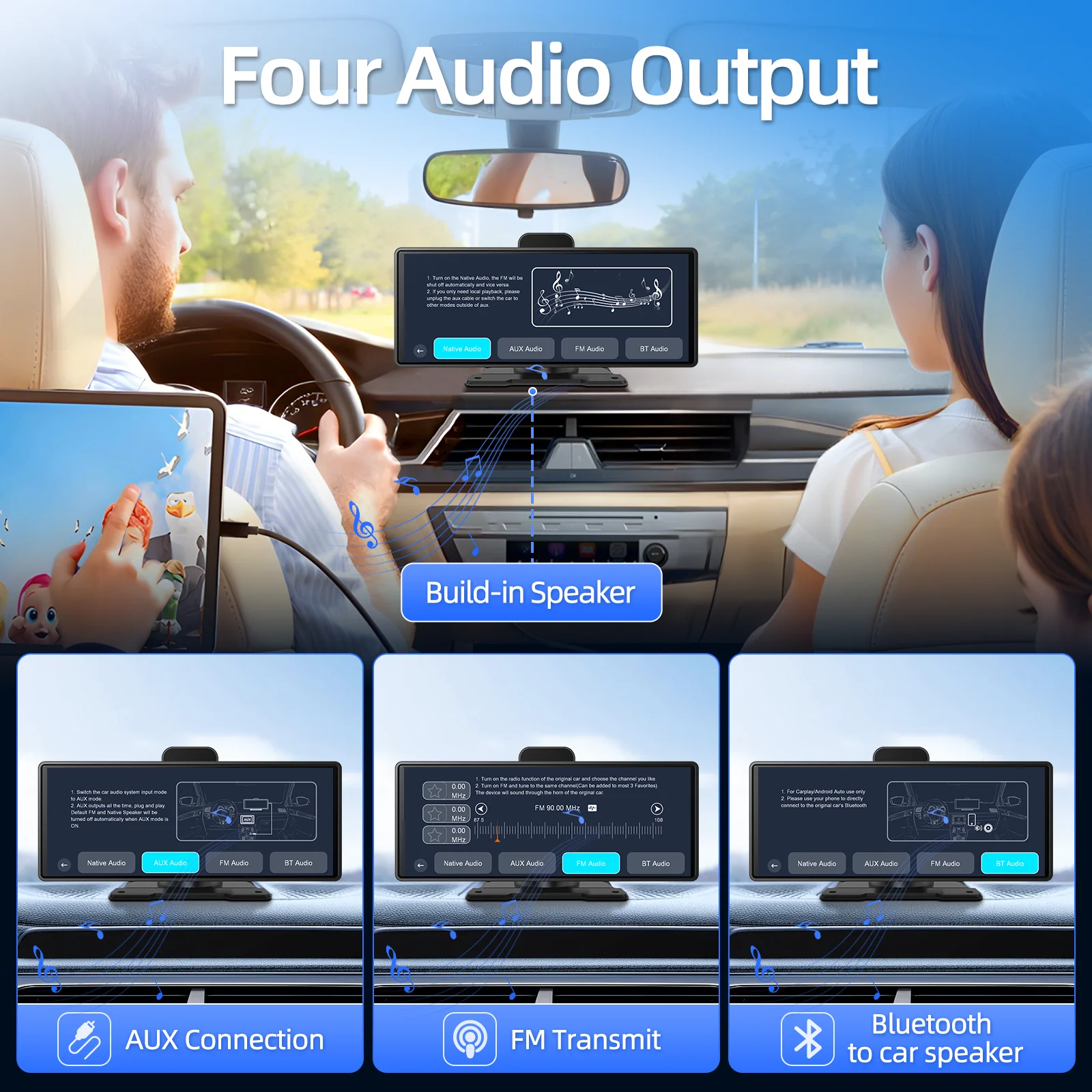
🗺️【GPS Track Playback】 (Requires GPS module)
Records driving trajectory and speed, which can be played back using a dedicated player.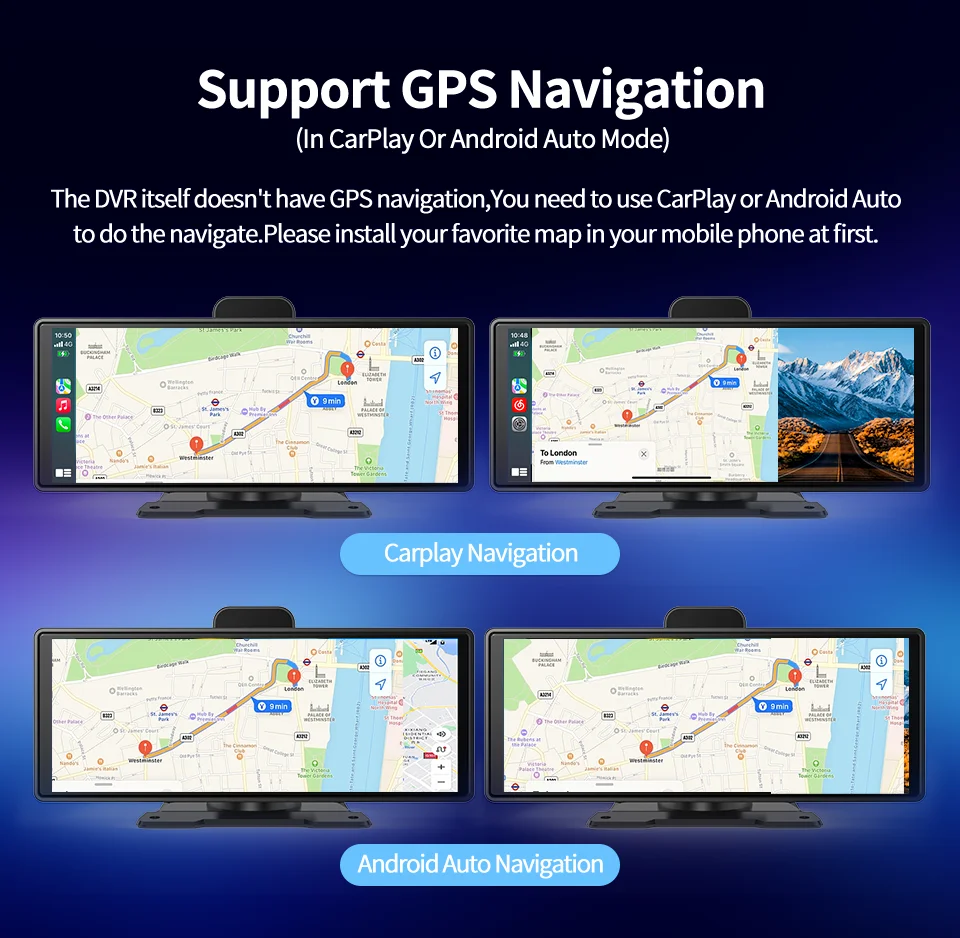
✅Extremely Wide Compatibility
1) Compatible with 99% of vehicle models, perfectly supporting 12V to 24V cars, SUVs, trucks, and motorcycles.
2) Plug and play, no complicated modifications required, easily upgrade your vehicle.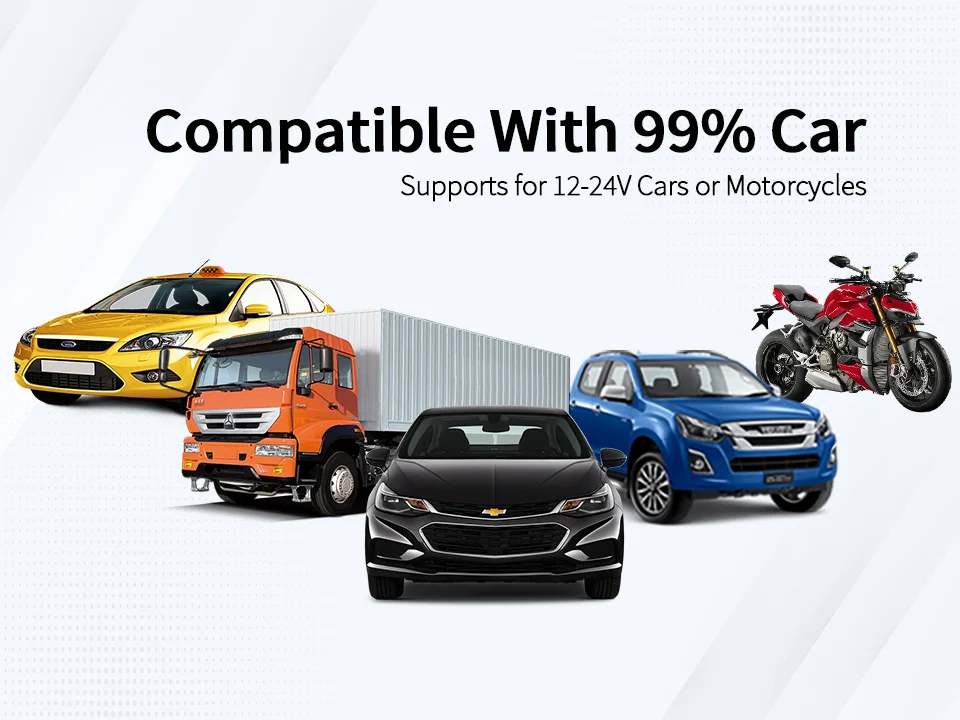
🛠️Flexible Installation, Stable and Secure
We offer two installation methods to suit different needs:
1) 3M Bracket: Easy to install, attaches instantly, secure and durable, leaves no residue.
2) Long-armed Suction Cup: Supports 360° ball head rotation and 180° suction cup adjustment, allowing for 360° unobstructed field of view adjustment, easily finding the best shooting angle.
Operation Tips: Press down to secure the bracket during installation.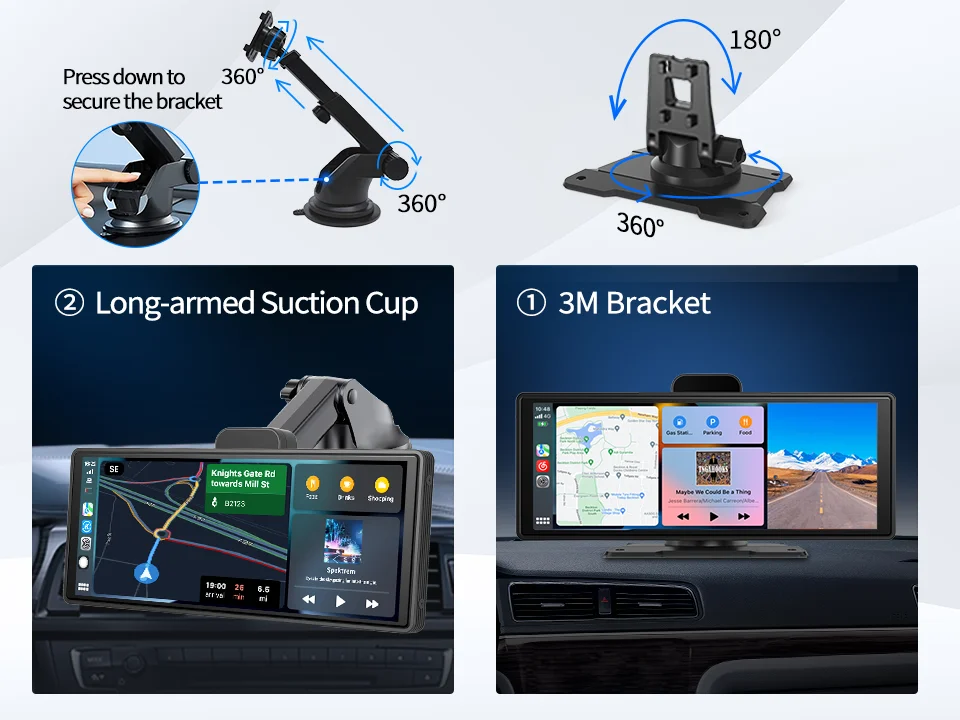
FAQ:
1.Is this device suitable for my car?
This is a 10.26" universal car radio, just fix it on the center console.
2. How to connect wireless carplay/android auto?
First pair the mobile phone with Bluetooth, and then it will automatically connect to the WIFI signal. After both are connected, carplay/android auto will automatically jump to the corresponding interface.
3.Why Android Auto Connection Exception?
(1)Please confirm that your phone is Android version 8.0 or above, anddownload the latest version of Android Auto.
(2)lf your Android Auto software has been connected to other vehicles beforeplease delete the relevant information on the software page.
(3)Check whether the following 3 software are the latest versions. Google.Google Maps, Speech Services by Google.
4. How to connect wired android auto?
It can be connected through the mobile phone data cable, please pay attention to use the original car cable that can be used for data transmission.
5. Is it possible to transmit audio to the car's speakers via Bluetooth?
Yes, when you connect the android auto or carplay,you can also connect the car bluetooth to listen music directly.
6. How to sync sound via FM?
Choose the FM Transmitter of audio on the device, adjust the channel of the car radio to a blank station, and set the radio on the device to the same frequency as the radio on the car, the setting is complete.
7.How to sync sound via AUX cable?
Find the AUX cable, then connect one end of the cable to the "audio" port on the slide right of the device, connect the other end to the AUX-IN port on the car, and enter the AUX playback interface of the car radio to synchronize the sound – Set up.
8.Why is the ADAS broadcast inaccurate/frequent?
(1)Check if the adas is adjusted accurately,please see the adjustment video.
(2)whether the gps installation is good, don't put it together with the machine, it will affect the signal.So in order to make the GPS transmit the carrier signal better, please paste the GPS on the windshield.
9.Why is it hot behind the machine?
This device uses powerful chips, so the power consumption is higher. Thereare heat dissipation holes on the back panel of the device, and heating is anormal heat dissipation phenomenon.
10.Why android auto can't answer calls through car vehicle bluetooth?
Setting up blocking phone permissions in mobile app-android auto.
Related products
-
10.26″4K 64G TouchScreen Portable Wireless CarPlay Android Auto Truck Dash Car Stereo Bluetooth GPS Navi Reversing Wide-Angle FM
Price range: $222.24 through $280.20 -

8inch Android Auto Carplay Radio Multimedia Navigation GPS Screen for Benz Smart 453 Fortwo 2014-2020 Car Autoradio
Price range: $441.21 through $932.52 -
10 Inch 4K Dash Cam Carplay Android-Auto Car DVR Dual Len 5G Wifi GPS Bluetooth FM Video Drive Recorder Stream Mirror Dashcam
Price range: $153.55 through $213.28 -
Vtopek 8.1″ 2.5K Dash Cam Car DVR Wireless Carplay Android Auto Ai Screen 1080P Camera Video Recorder GPS Navigation Dashboard
Price range: $174.31 through $333.19
Reviews
There are no reviews yet.